SINGLE-USER WORKSPACE / ONE PERSISTENT PROJECT TREE
One workspace.
Every screen.
Move between VS Code Desktop, browser VS Code, and CloudCLI on your phone. They work with the same persistent projects and supported agent-session artifacts.
Editor windows do not share UI state. A workspace restart stops running processes. Review interrupted tasks and resume only through a provider-supported action.
Railway release status
No live Railway template or verified one-click deployment is available yet. Check the open gates before using this as a production deployment guide.
THE WORKSPACE LAUNCHPAD
A clear starting point on desktop and phone
The images below are from the local launchpad build. They show the real service cards, not a live Railway deployment.
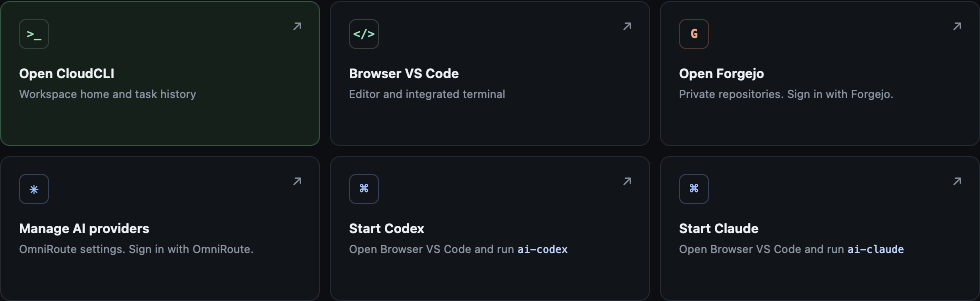
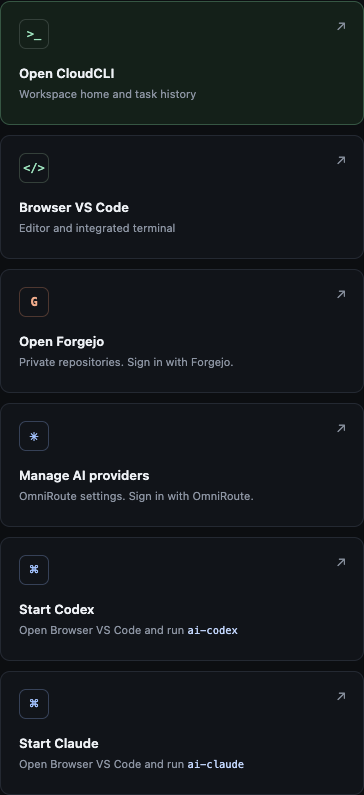
The captures document the local interface only. Railway domains, service health, Remote-SSH, and Marketplace publication still require live acceptance checks.
Choose a path START HERE
01 CAPABILITIES
See what is included
Review the workspace surfaces, persistent data, provider routing, and the limits that still apply.
02 DEPLOY
Prepare a Railway project
Follow the Composer steps and distinguish the documented setup from a verified live template.
03 FIRST RUN
Sign in and finish setup
Use the generated workspace password, create regular service accounts, and connect your own provider.
04 DEVICES
Connect your clients
Set up key-only Remote-SSH, browser VS Code, and the CloudCLI mobile interface.
BUILT AROUND CLEAR BOUNDARIES
Private workspace, defined limits
Provider master keys stay in OmniRoute. Agent processes can read the scoped inference key they use and can make outbound connections. Railway Private Networking does not filter that egress. A restart interrupts running work; supported session recovery is manual.